
Since this page is still in production it isn’t live yet meaning you can’t just access it over the browser.
So the first things you need to is add an Entry to your hosts file. Here’s how:
You can look here on where to find and how to edit the hosts file: How to: hosts-file
Here’s where it would be on Windows: C:\Windows\System32\drivers\etc
Then add the following information at the bottom: 194.56.189.142 pls-zh.ch
Now save the file and you can access the page under: pls-zh.ch
Parkhäuser
Information about the “Parkhäuser” are on “Z” under this path: /hosttech IT Services/_Kunden/PLS Parkleitsysteme Zürich/Infos Parkhäuser/Parkhaus_Info_Parkhaus PHNAME.xlsx
Then on WordPress you can find them under the “Parkhäuser” tab or under this link: Parkhäuser
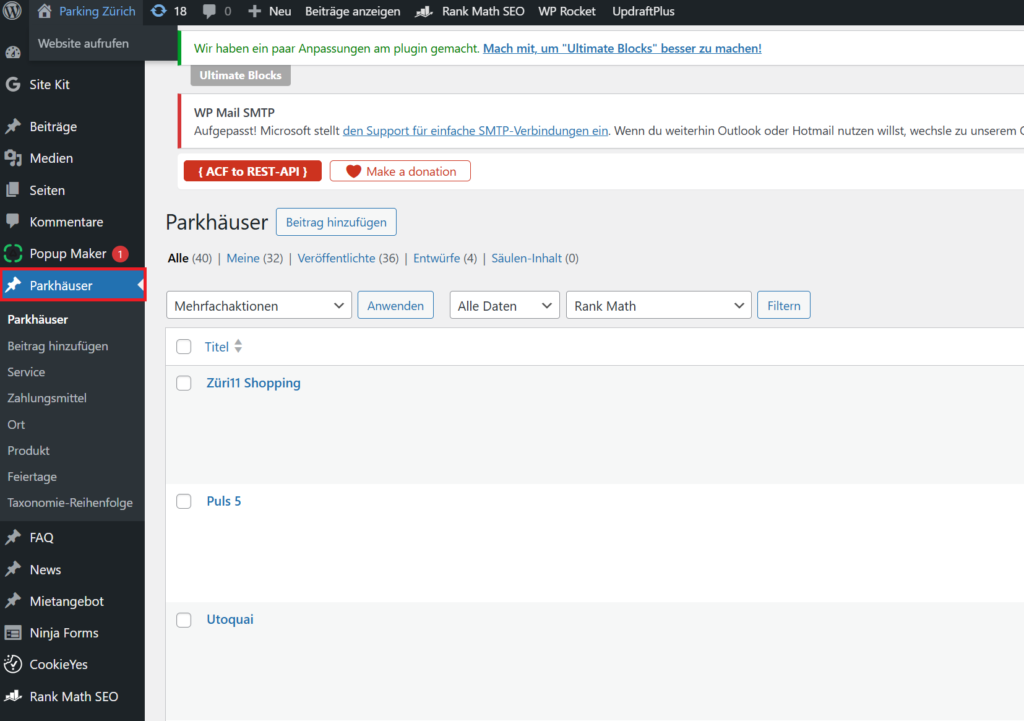
Now you can just search for the different “Parkhäuser” you wish to edit.
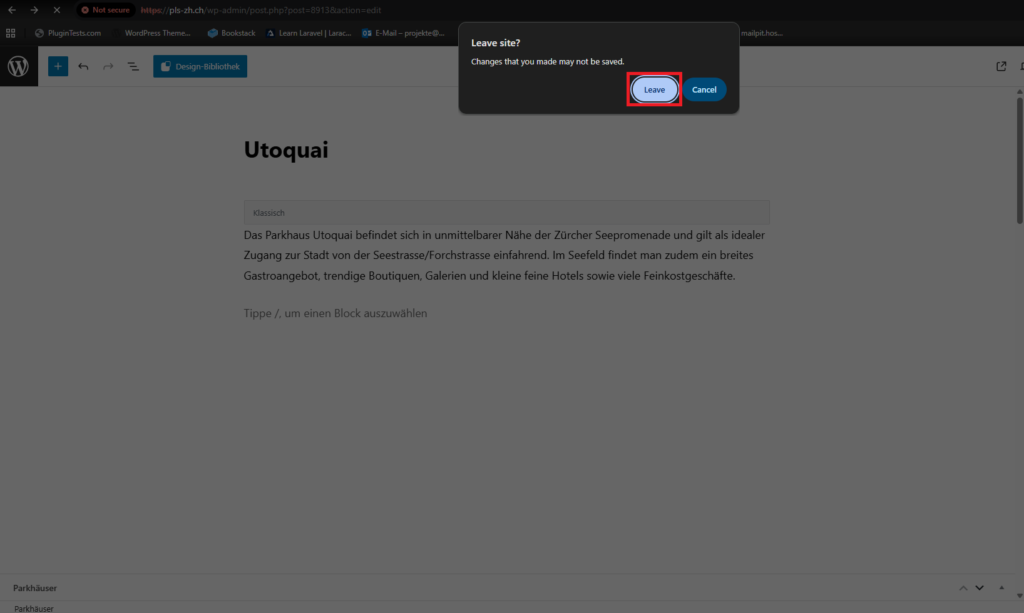
One thing to note about this WordPress page is that when you click on a Parkhaus to just to take a quick look to check some information it always gives the option to save the changes. This means that when you click the arrow back or so that a popup appears asking if you wish to leave the site because changes might not be saved. If you didn’t change anything you can just click “Leave”. This allows you to proceed and avoid breaking anything.
Abos
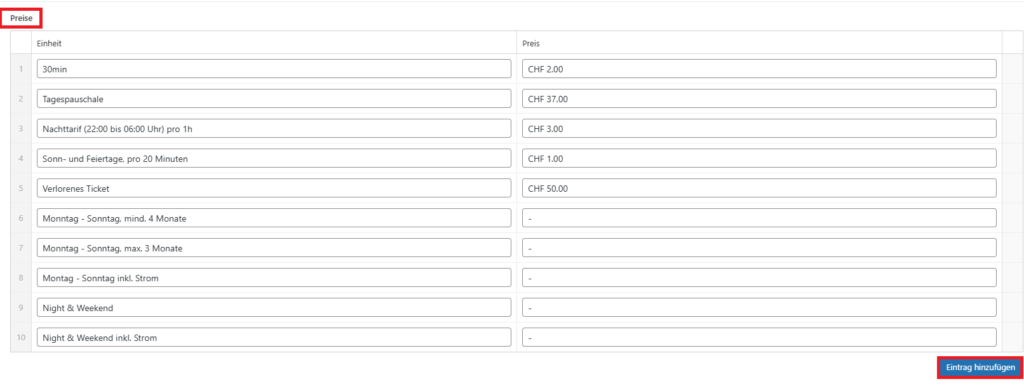
The Abos are added under the “Preise” section under each Parkhaus. If you need to add a new one just click “Eintrag hinzufügen” and add the details (Name & Price).
Zahlungsmittel
Each Parkhaus has different payment methods available you can find them under Parkhäuser -> Zahlungsmittel or under this link: Payment methods
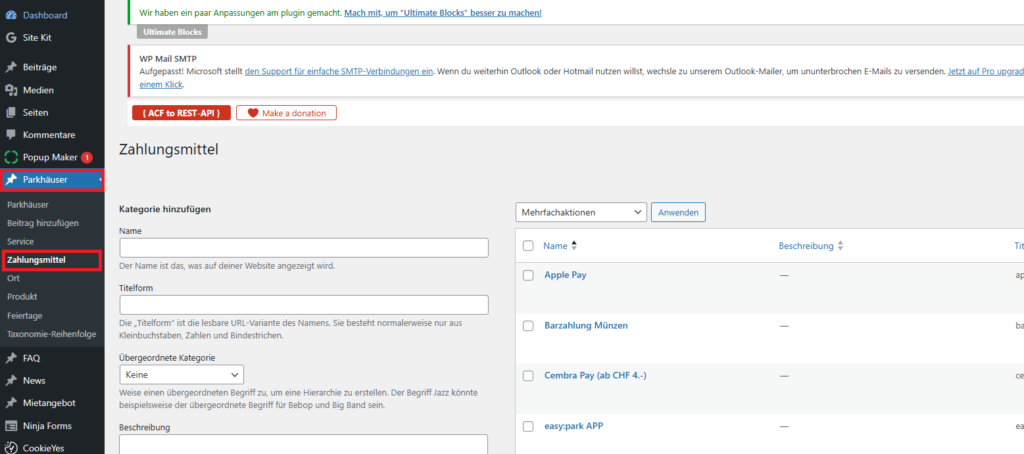
This is where you would add new payment methods or edit existing ones. This includes the Name and also the Icon (The image that is displayed on the website).
Now to add the different payment methods to a specific Parkhaus you need to edit said Parkhaus and then in the right block scroll down until you see Zahlungsmittel
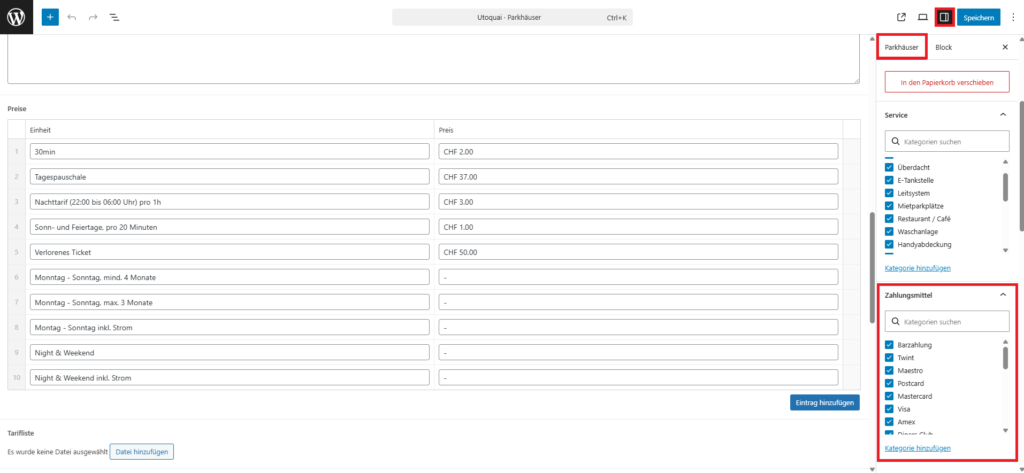
You need to have the whole Page selected for that to be visible so if you can’t see it then click the Title of the page (The name of the Parkhaus) at the top of the page.
Services
For Services it’s basically the same just under a different name. You can find it under Parkhäuser -> Service or under this link: Services
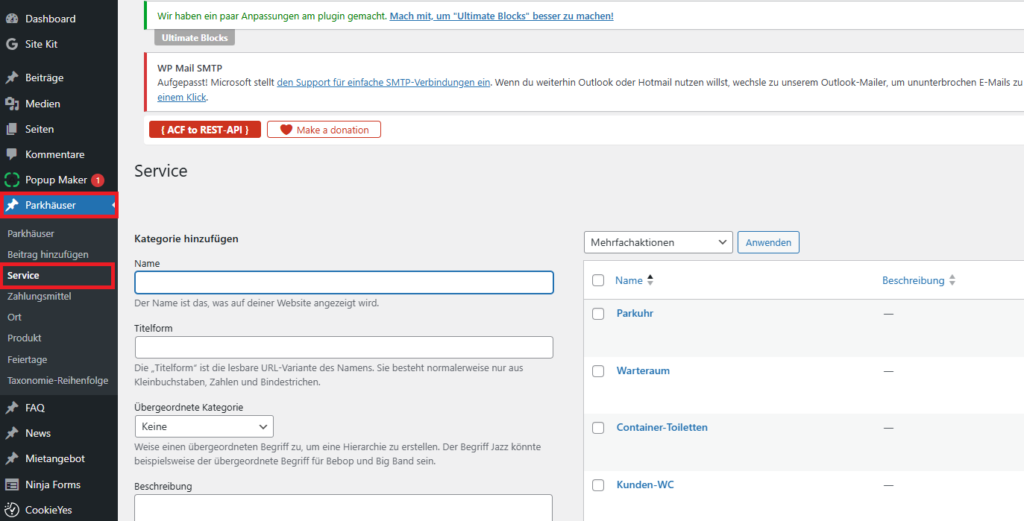
This is where you would add new services or edit existing ones. This includes the Name and also the Icon (The image that is displayed on the website).
Now to add the different services to a specific Parkhaus you need to edit said Parkhaus and then in the right block scroll down until you see Service:
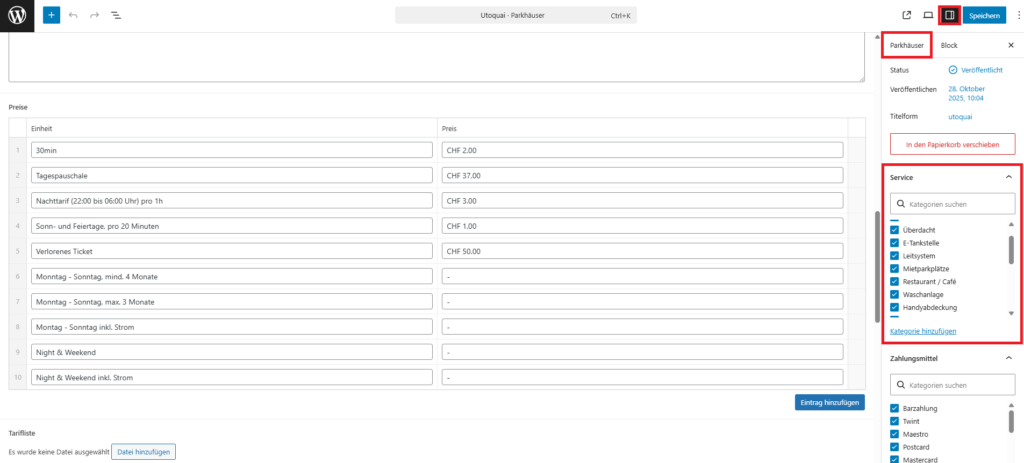
You need to have the whole Page selected for that to be visible so if you can’t see it then click the Title of the page (The name of the Parkhaus) at the top of the page.