I got a task from Simon which was to fulfil a customers order or wish. It was in WordPress and the customer wanted a new page and link the button from their newsletter to said new page. That page as a conformation for pressing said button in the mail.
The task itself was rather simple just needed some help to navigate through certain parts of WordPress & Elementor since (especially) im not too familiar with the whole environment to that degree.
The most difficult aspect of this task was the set time limit given for it, which in this case was 40 min. Meaning that i had to complete everything within that time frame and i didn’t know exactly what all counts towards that. Do the preparation or the act of getting familiar with the environment count as well? What about the check from Simon? Would that have to be accounted in the time as well?
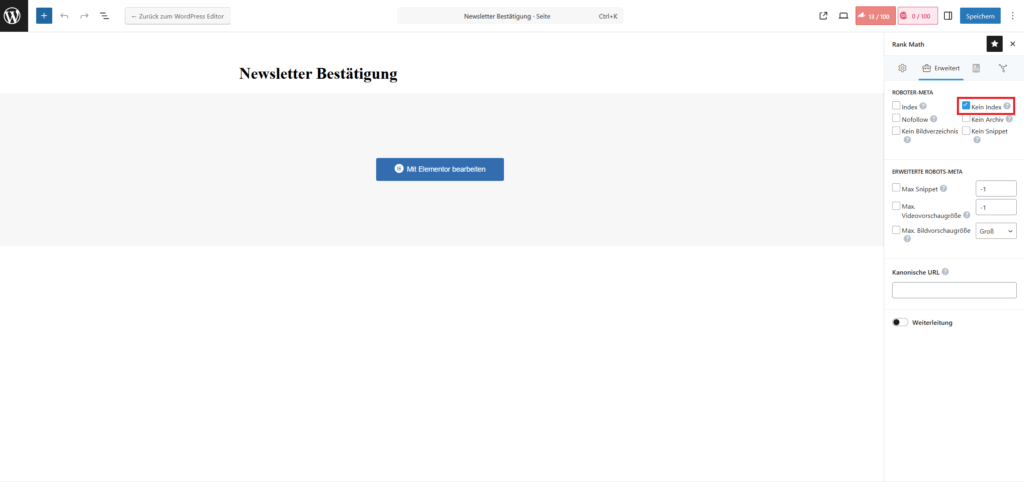
Now depending on how these questions above would be or are answered i was able to do it in the time frame or a bit over. Now that is also partially my fault because i misunderstood part of the task so i had to redo a certain part of it which cost a bit of time, so here read the task carefully and if there’s some uncertainty then ask whoever gave you the task or perhaps someone else if you believe they can help you out as well. Another thing that i had to do or well make sure is that it wont be displayed in the navigation and that it won’t be indexed by google (so that it won’t be shown or recommended by google), this was rather easy with the Rank SEO plugin from WordPress, it was done like so: (this is in the basic WordPress page editor)
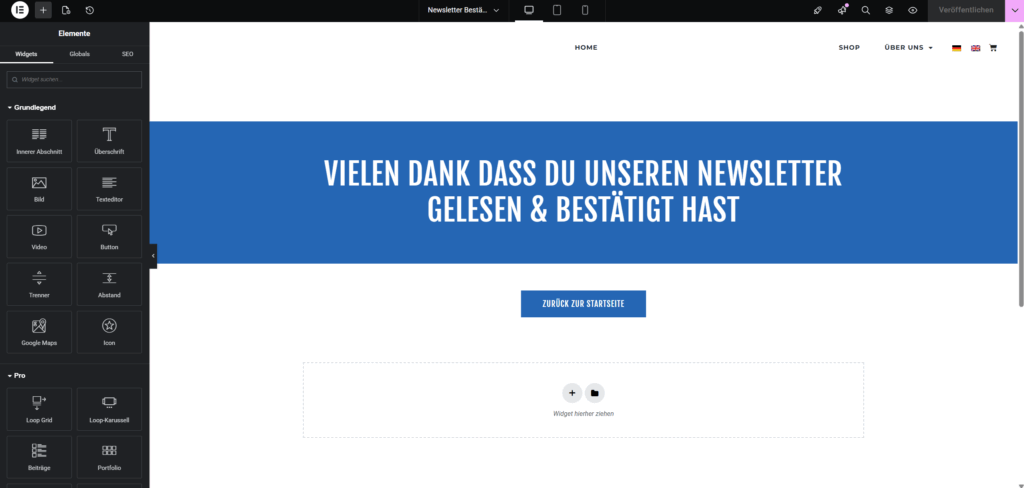
Now as mentioned above I’m not familiar with Elementor since i never used it. Now the UI is pretty simple and easy to grasp but still certain things you still have to find first and that of course takes time. It looks like so: (this is in the Elementor page editor)
Another Customer Task
I got another task for a customer. This time it was to reinstall WordPress and create the Homepage based on given requirement (add a given image, add the footer and add a banner or header at the top).
First things first was to save a backup of the old website and then delete all the files on Plesk in the httpdocs folder (this is where the WordPress installation is saved) then download the newest version of WordPress and then upload it to the Plesk via a FTP Client. In this instance we had to create a new FTP user and then upload the zipped WordPress installation folder to the httpdocs folder.
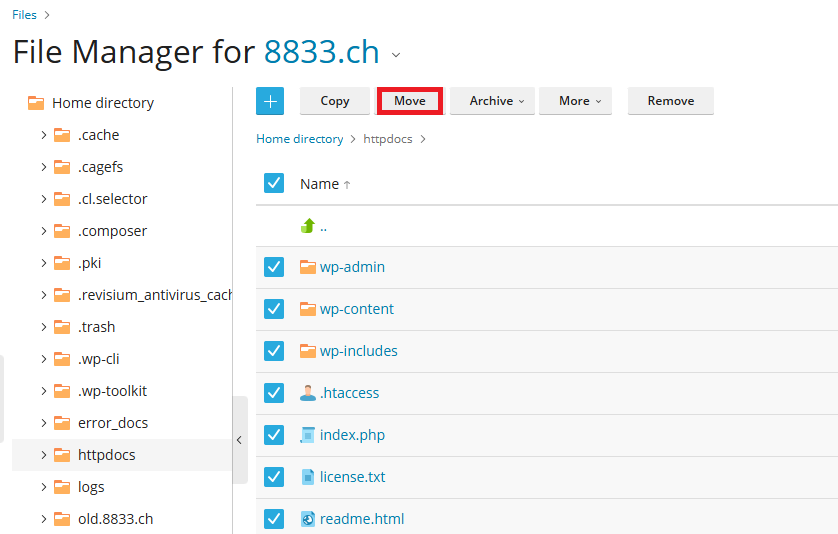
After which you “unzipp” the folder and then move all the contents outwards once (one folder back so its directly in the httpdocs folder and not in the WordPress one) then you can delete the WordPress folder (since it is now empty), like so:
Then you create a new database and link it to said website, after which just open the website in the browser as a admin (website-url/wp-admin) and then follow the steps given.
The next step was to actually create the homepage for that i installed Elementor since the old website had it aswell and generally it’s a pretty handy tool at least at times. The rest is pretty explanatory i added the image then to be a bit faster i went to the old website (the backup) and copy-pasted the footer and then adjusted it slightly to fit the new requirements. After that i added a banner at the top and angled it (click the banner->advanced settings->shape divider) like so:
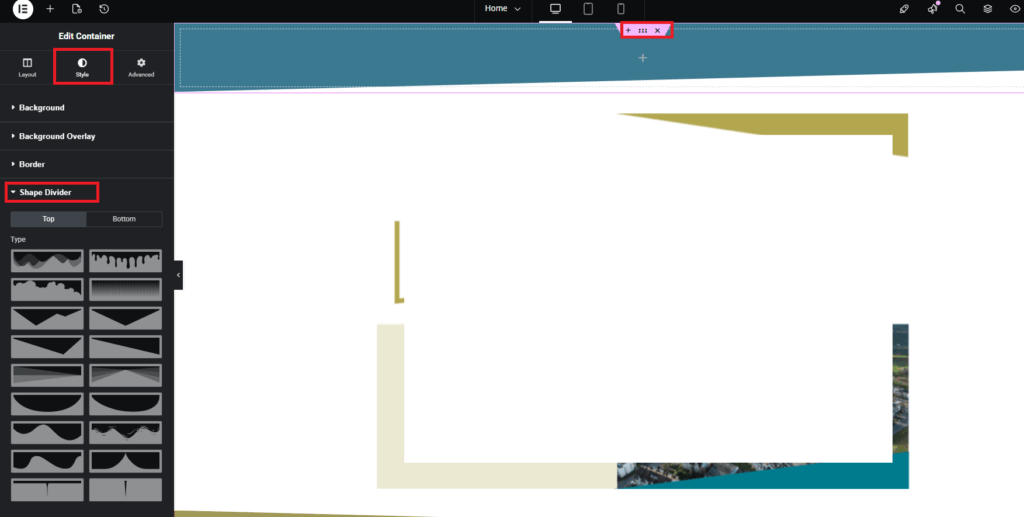
In this case it was bottom and then the right-angled triangle and then you can adjust the angle etc.
After that i had to make a small fix for the mobile view but otherwise it was done.
I had to contact Manu on a few different occasions because i didn’t know how it should look exactly or if i had a problem with Elementor but aside from that everything worked out quite well.